categories listed in the 2027 Breadth of Knowledge DCO
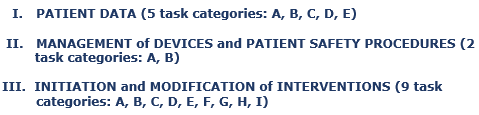
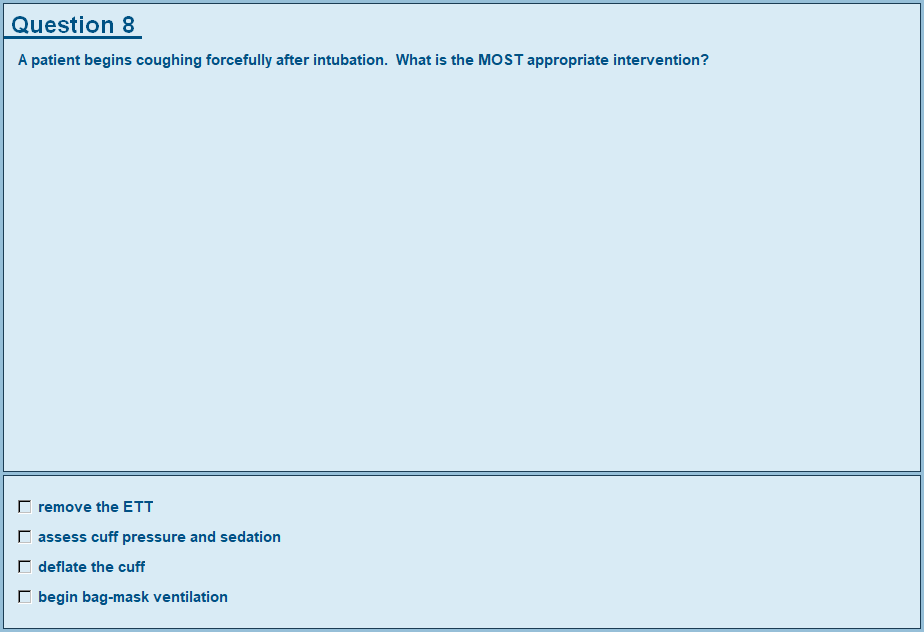
- The Breadth of Knowledge Content Companion Modules (BCC) feature the following:
- Combined, the 16 BCC modules contain approximately two thousand test questions with each question placed in its appropriate test bank.
- Every content item listed in the 2027 DCO (which includes every "for example") has a test bank. For example: task I, E (Recommend Diagnostic Procedures) in the 2027 DCO has a total of 23 content items, so BCC module I, E has 23 test banks.
- Each test bank of each module contains a minimum of 5 test questions (many have more than 5).
- There are a total of 352 content items (which includes every "for example") in the 2027 DCO, which means the 16 BCC modules contain a total of 352 test banks consisting of a minimum of 5 test questions per test bank.
- Each module pulls one random question from each of the test banks included in the module and then presents those test questions in a random order. It is highly doubtful that the user will see the same test question twice, but it can happen (depending on the random number generator and also how many times the user completes an exam of that module); however, the user will never see all the exact same test questions from that particular exam when taking subsequent exams. There will always be new test questions the user has never seen.
- The score report section is a detailed report of the user's score which consists of every content item (which includes every "for example") in the tested task. The user has the opportunity to print the score report and evaluate his/her areas of weakness and areas of strength. The score report is also available to the educator in the RTE Administrator.
- After the user views the score report, he/she will have the opportunity to go back through the examination (if the educator has set the program to teach mode) and view his/her correct answers. While viewing answers, the user is provided feedback that explains the rationale behind the correct response.
- Use the RTE Administrator to set program security, program password, teach/test mode, student assignments, and view users" score reports.
Note: The Respiratory Software Programs are for institutional purchase only.
Copyright © 1995 - 2027, C&S Solutions. All rights reserved.
All software is copyright and protected under U.S. Copyright Law. Text, graphics, animations, audio, and video content of each software program may not be reproduced or transmitted in any form or by any means, electronic or mechanical, including photocopying, recording, or any information storage and retrieval system, without specific permission in writing from C&S Solutions.
